

> Editorial Note: I’m Maya Chen, a bedroom and sleep editor who’s spent 6+ years tracking mattress and bedding durability. This guide draws on CertiPUR-US certification specs and Sleep Foundation research, plus owner reviews aggregated from Wirecutter and Apartment Therapy.
One room that runs 5–8°F hotter than the rest of the house is one of the most common complaints in home-comfort forums, and it’s rarely a single cause. Before you blame the thermostat, it’s worth checking your window exposure, your airflow, and what’s stacking heat into the space, the same factors that push hot sleepers toward a best cooling mattress topper, best cooling sheets for hot sleepers, best blackout curtains for bedroom, best bed fan under sheets, and best sheets for hot sleepers. Here’s what’s actually heating your room, and the fixes owners say worked.
Reason 1: Closed or Blocked Vents Choke Your Airflow
The first thing to check costs nothing. Walk the room and look at every supply vent and return register. If a vent is buried behind a dresser, a bed skirt, or a stack of laundry baskets, the conditioned air can’t reach the space, and the room heats up while the rest of the house stays comfortable.
According to Energy.gov, blocking even one or two supply registers can throw off the static pressure across an entire duct system, forcing the air toward rooms that don’t need it. People often close vents in unused rooms thinking it saves energy. It usually backfires. The pressure imbalance just makes other rooms work harder.
Pull furniture at least 18 inches off any register. Open every damper fully. Then add air movement. A tower fan parked near the doorway pulls cooler hallway air in and breaks up the warm pocket that settles near the ceiling. Owners on Apartment Therapy repeatedly mention that a quiet bedroom fan running on low overnight did more for sleep comfort than nudging the thermostat down 2°F. Air circulation isn’t the same as cooling, but moving air feels roughly 4°F cooler on the skin.
Reason 2: West-Facing Windows Bake the Room All Afternoon
If your hot room faces west or south, the afternoon sun is the prime suspect. Solar heat gain through an uncovered window can raise indoor temps fast, and Energy.gov estimates that about 76% of the sunlight hitting a standard double-pane window converts to heat inside the room.
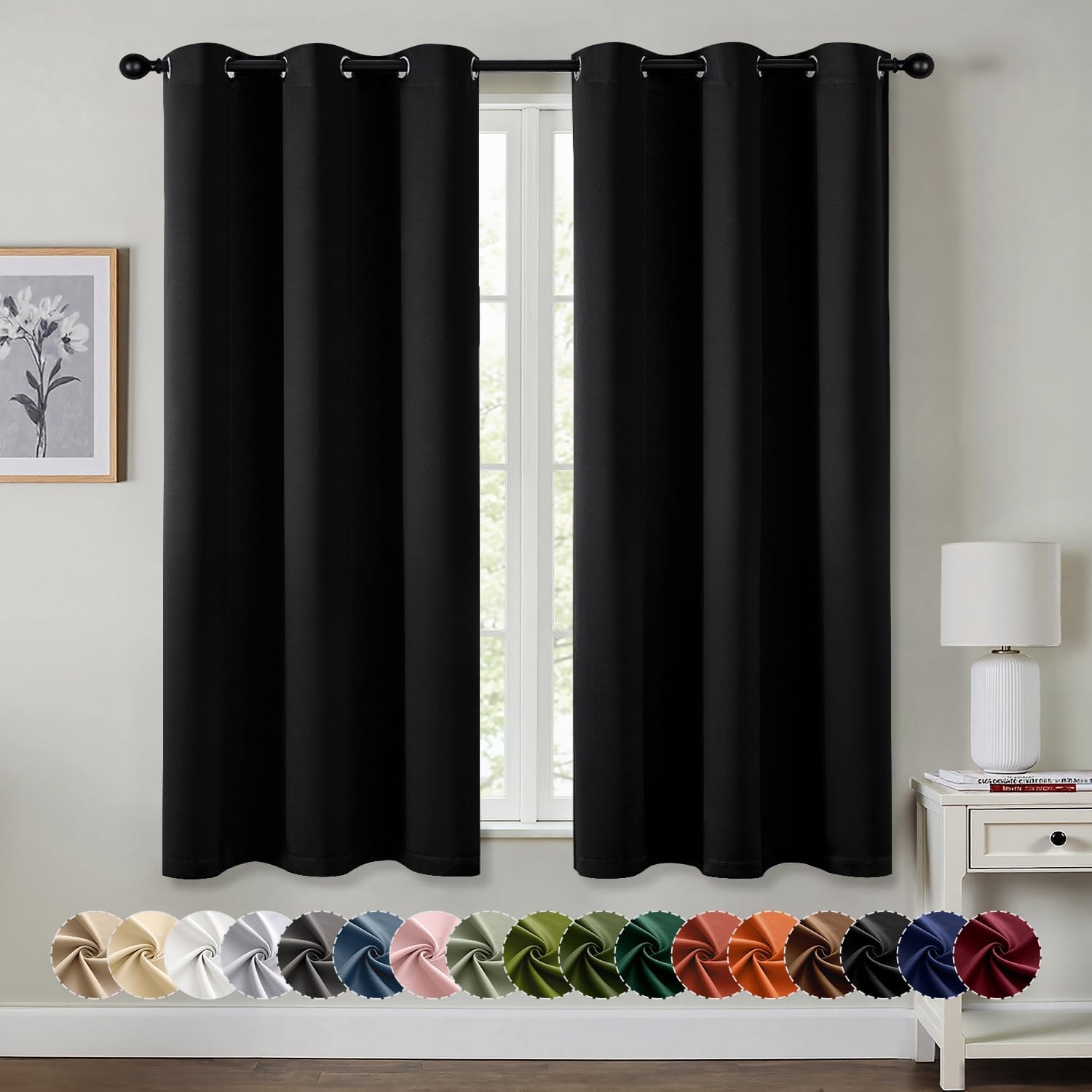
Bare glass is the problem. A sheer curtain barely slows it. What actually works is a layered blackout panel with a thermal or foam-backed lining. Sleep Foundation notes that blackout curtains do double duty here, cutting both light and radiant heat, which matters if the room doubles as a bedroom and you’re trying to sleep before sundown in summer.
Hang the curtains close to the wall and let them pool slightly at the floor. The tighter the seal around the edges, the less heat leaks past. For a west-facing window that catches direct sun from 2 p.m. onward, owners report a 3–5°F drop after switching from sheers to lined blackout panels. Cellular shades layered behind curtains push that further. Pair the curtains with a fan and you’ve handled both the radiant load and the stagnant air in one afternoon.
Reason 3: Top-Floor Rooms Catch All the Rising Heat
Heat rises. It’s basic physics, and it’s why second-floor and attic-adjacent bedrooms routinely run hotter than the rest of the house. Warm air pools at the highest point in your home, and if your room sits up there, it inherits everyone else’s heat.
The fix is partly about moving that trapped warm air and partly about stopping it from arriving. Ceiling fans help when set to spin counterclockwise in summer, pushing air down. If there’s no ceiling fan, a tall oscillating tower fan covers a wide arc and keeps the warm ceiling layer from settling. Owners with two-story homes on Wirecutter’s comments often run a fan at the top of the stairwell to break the chimney effect that funnels heat upward overnight.
Attic insulation is the bigger lever. The Department of Energy recommends R-49 to R-60 for attic insulation in most climates, and under-insulated attics let the summer roof temperature, which can hit 150°F on dark shingles, radiate straight down into top-floor rooms. If your upstairs is always 6–8°F hotter, an insulation audit usually pays for itself. Until then, fans and blackout curtains carry the load.
Reason 4: Electronics and Lighting Quietly Add Heat
Every device that draws power gives off heat, and a bedroom or home office stacks up more of them than you’d think. A gaming PC under load can dump 300–500 watts of heat into a small room. A 65-inch TV, a cable box, a desktop, a couple of chargers, and older incandescent or halogen bulbs all add up to a measurable temperature bump in a closed space.
You don’t need to unplug your life. A few habits cut the load. Switch incandescent and halogen bulbs to LEDs, which run far cooler and use roughly 75% less energy per Energy.gov. Power down the desktop and game console instead of leaving them in standby. Move the cable box or router off the nightstand and away from where you sleep.
In a tight room with the door shut, that combined waste heat has nowhere to go. This is where steady air movement matters most. A DC-motor tower fan sips power, around 3–25 watts depending on speed, so it won’t add meaningful heat itself while it keeps the room’s warm pockets circulating. Run it on a timer or sleep mode so it tapers off once the electronics are off and the room settles overnight.
Reason 5: Undersized or Unbalanced HVAC Can’t Keep Up
Sometimes the room isn’t the problem. The system serving it is. If your AC was sized for the house’s square footage but the ductwork to one far room is long, kinked, or undersized, that room simply won’t get its share of cool air. The farther a room sits from the air handler, the more pressure it loses along the way.
Balancing dampers can help. Many duct systems have adjustable dampers in the trunk lines, and partially closing the runs to cooler rooms pushes more air toward the hot one. It’s fiddly and worth doing slowly, a quarter turn at a time, checking results over a day or two. Energy.gov also points to leaky ducts as a hidden culprit: sealing duct joints can recover 20% or more of lost airflow that was escaping into walls and crawlspaces.
If the whole house struggles on hot days, the unit may be undersized for the square footage, or it may be aging out. A short-cycling system that clicks on and off without ever satisfying the thermostat is a classic sign. While you sort out the bigger fix, a fan keeps the hot room livable and takes some load off the system.
When to Call an HVAC Pro
Most of the fixes above are DIY. A few situations call for a professional. If one room runs 8°F or more hotter than the rest no matter what you try, the imbalance points to a duct design or sizing problem a pro should measure. Inconsistent temperatures across several rooms, weak airflow at the registers despite a clean filter, or a system that short-cycles all suggest something beyond a blocked vent.
A technician can run a manual load calculation to confirm whether your unit is correctly sized, measure static pressure to find duct restrictions, and check the refrigerant charge. Blocked or collapsed ducts inside walls won’t show up from the living space, and an undersized system can’t be fixed with fans alone. If your energy bills are climbing while comfort drops, that’s the signal to get a load calc done before another summer.


DREO Tower Fan for Bedroom with DC Motor, 28ft/s Airflow, 20dB Quiet, 8 Speeds 4 Modes, 90 Degree Oscillating Bladeless Fan with Remote, Black
Pros
- Genuinely quiet on lower speeds, making it easy to sleep next to
- Strong airflow for a tower fan thanks to the upgraded DC motor
- Slim 36-inch footprint fits into tight corners and small bedrooms
- Removable rear grille and impeller make cleaning straightforward
- ETL-certified with fused plug and circuit safety features
Cons
- Top speeds reach around 48dB, so it is noticeable when running on high
- 1 to 8 hour timer is shorter than the 12-hour timers on DREO's taller models
- Oscillation is limited to 90 degrees, narrower than some competing fans
This DREO tower fan earns its spot because it solves the one thing most fans get wrong: it moves a lot of air without making a racket. The upgraded brushless DC motor pushes a breeze up to 28ft/s, yet on the lower settings it hums along near 20dB, quiet enough that you forget it is on.
The bladeless tower shape looks clean and modern in a real room. At 36 inches tall and slim, it tucks neatly into a corner or beside the bed without dominating the space, and the matte black finish blends with most decor instead of standing out like a bulky old box fan. The touch screen up top and the included remote mean you can fine-tune speed and mode from across the room.
If you want strong, room-filling airflow without the constant whir of a noisy motor, this one delivers.
Styles it works with: Modern, Minimalist, Scandinavian, Contemporary
Best placed in: beside the bed, a living room corner, or next to a home office desk
May not suit: very large open-plan rooms where the 90 degree oscillation may not reach every seat, or buyers who want a fan that matches warm rustic or traditional decor in lighter tones
Buy it if:
- You are a light sleeper who wants airflow without fan noise keeping you awake
- You want a slim fan that fits a small bedroom or tight corner
- You have kids or pets and prefer a safer bladeless design
Consider waiting if:
- You want a taller model with wider 150 degree oscillation and a longer 12-hour timer
Skip it if:
- You need to cool a large open space where a single 90 degree fan cannot reach every seat
Check the latest price and availability on Amazon before it sells out.

LEVOIT 36" Tower Fan for Bedroom, 90° Oscillating Bladeless Standing Fan, 28dB Quiet Sleep Mode, 5 Speeds, 4 Modes, 12H Timer & Remote, White
Pros
- Genuinely quiet at 28dB, ideal for light sleepers and shared bedrooms
- Temperature-sensing Auto and Sleep modes reduce manual adjusting overnight
- Bladeless design is easier to clean and safer for households with children
- Tall 36-inch tower spreads air widely without taking up much floor space
- Remote control and clear mode options make daily use simple
Cons
- The top control panel enters a semi-sleep state when the screen is off, so you may need to press twice to wake it before adjusting settings
- Sleep Mode automatically begins oscillating after one hour by design, which can surprise users who expect it to stay still
- Cleaning the wind wheel requires careful screw alignment on the motor shaft or airflow drops
If you have ever been jolted awake by a clunky fan rattling away in the corner, this LEVOIT tower fan feels like a quiet upgrade. The bladeless build and curved air inlet push out a soft, natural breeze rather than a sharp gust, and at 28dB it basically disappears into the background of a bedroom.
In a real room, the slim 36-inch white tower reads clean and modern. It tucks neatly beside a bed or in a corner without crowding the space, and the lack of exposed blades means it looks tidy and stays easy to wipe down. The Advanced Sleep Mode dims the display and softens airflow as the night goes on, so you get comfort without that 3am chill that sends you reaching for the off button.
If you want quiet, temperature-aware cooling without the safety worries and visual clutter of a traditional bladed fan, this one delivers.
Styles it works with: Modern, Minimalist, Scandinavian, Contemporary
Best placed in: beside the bed, a bedroom corner, or a home office desk area
May not suit: very small rooms where a compact desk fan would do, or buyers who want a bold color statement since it only comes in white
Buy it if:
- You are a light sleeper who needs cooling that stays whisper-quiet through the night
- You have kids or pets and want a bladeless fan that is safer to have around
- You want set-and-forget comfort with a timer, remote, and temperature-sensing auto modes
Consider waiting if:
- You need a color other than white to match your decor
- You prefer the panel to respond on the first touch every time and dislike the wake-then-adjust step
Skip it if:
- You want a fan that never oscillates on its own, since Sleep Mode starts oscillating after one hour by default
- You need a compact desk or floor fan for a very small space
Check the latest price and availability on Amazon before it sells out.
Frequently Asked Questions
Why is one room always hotter than the rest of my house?
Usually it’s a combination: sun exposure through uncovered windows, an HVAC system that can’t push enough air to a distant room, and heat rising if the room is upstairs. Start with the cheapest checks, open the vents, cover west-facing windows, and add a fan, before assuming the AC is to blame.
Do fans actually cool a room or just move air?
Fans don’t lower the room’s temperature; they move air across your skin so you feel cooler, by roughly 4°F. That’s enough for sleep comfort in most rooms. A DC-motor tower fan does this on as little as 3 watts, so it’s far cheaper to run than dropping the thermostat.
How much do blackout curtains lower room temperature?
Owners with west-facing windows report a 3–5°F drop after switching from sheers to lined blackout panels. Energy.gov notes most of the sunlight hitting bare glass converts to indoor heat, so a thermal-backed curtain that seals close to the wall blocks the largest share of that radiant load.
Is it bad to close vents in unused rooms?
Yes, more often than not. Closing vents throws off the duct system’s static pressure and can force conditioned air away from the rooms you do use. Energy.gov recommends keeping registers open and unblocked so the system stays balanced.
Why is my upstairs so much hotter than downstairs?
Heat rises and pools on the top floor, and attic heat radiates down through under-insulated ceilings. The Department of Energy recommends R-49 to R-60 attic insulation in most climates. Until you upgrade insulation, a tower fan to circulate the trapped warm air and blackout curtains to block solar gain make the biggest difference.





Write Your Review
No reviews yet. Be the first to share your experience!